 English
Stealth Full — Rust
Status: Setup guide
undetected
1 / 14
Compatibility
- Windows
- 10(all)/1123H2–26H2
- Processor
- All
- Graphics card
- All
- Launchers
- Steam
- HWID Spoofer
- No built-in
Features
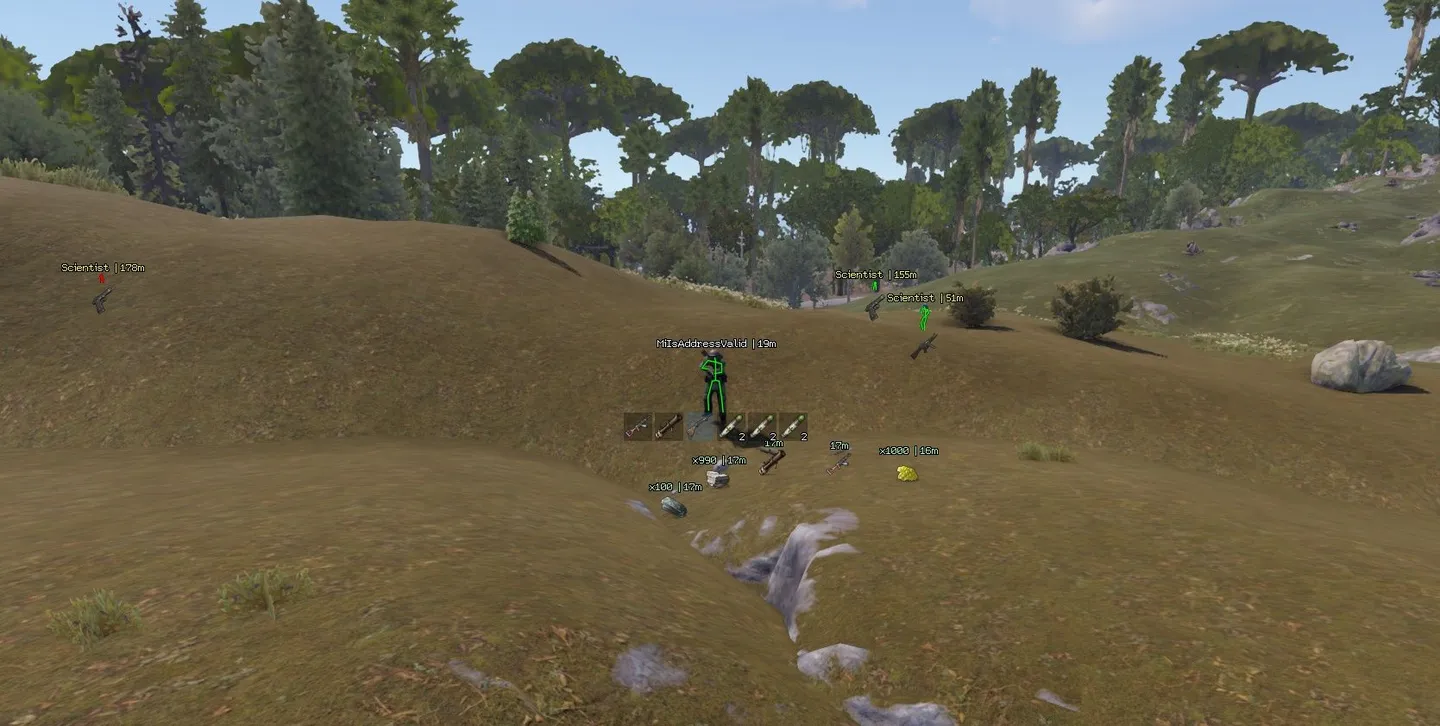
Player ESP
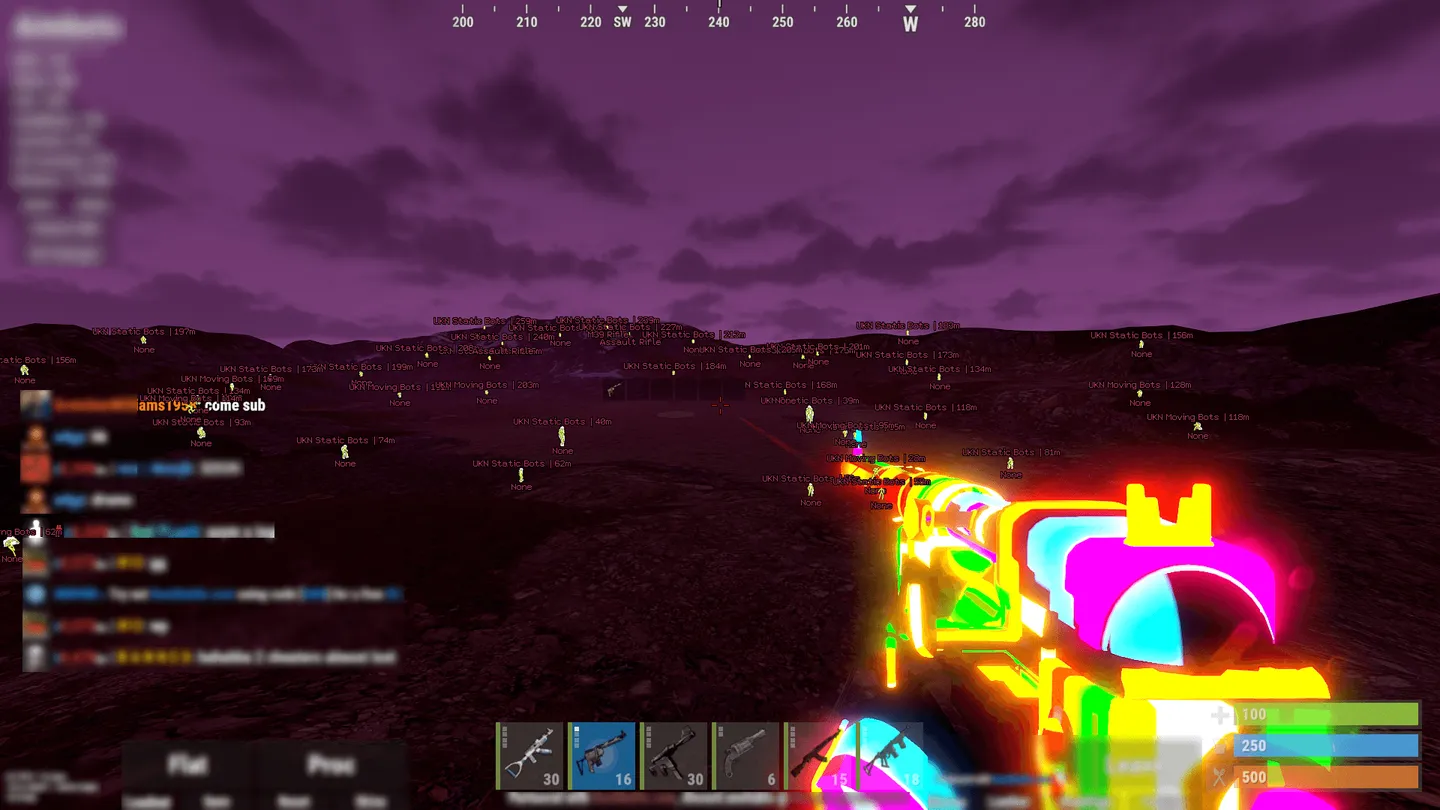
- Bots – Highlights NPC bots
- Sleepers – Shows sleeping players
- Nickname – Labels players with their names
- Skeleton – Draws bone lines over player models
- Team ID – Shows the player's team identifier
- Active item – Shows the item in a player's hands as an icon or as text. The label can be disabled
- Quick slots – Shows the player's hotbar
- Distance – Adds a distance label to each player
- Visibility Distance – Sets player ESP range from 0 to 400 m
- Chams – Applies a wireframe or flat material to players. The overlay can be disabled
- Out of fov indicator – Points toward players outside the view with arrows
- Indicator Distance – Sets arrow range from 0 to 400 m
Corpses and dropped items
- Player corpse – Marks bodies of dead players
- Animal corpse – Marks animal carcasses
- Distance / Visibility Distance – Shows the distance to bodies and sets their ESP range from 0 to 400 m
- Dropped items – Shows loose items as icons or text. Item labels can be disabled
- Distance / Visibility Distance – Shows the distance to dropped items and sets their ESP range from 0 to 400 m
Aimbot
- Enable – Toggles the aimbot
- Ignore team – Excludes teammates from targeting
- Ignore sleepers – Skips sleeping players
- Visible check – Limits target selection to players in direct view
- Aimbot Type – Silent leaves the crosshair in place. Mouse moves it toward the target
- Bone – Targets the head, chest, pelvis or nearest hit area
- Bind key – Sets the activation key in Mouse mode
- Targeting FOV – Sets the angle for target selection from 10 to 500 degrees
- Mouse aimbot speed – Adjusts crosshair speed in Mouse mode from 1 to 10
- Distance limit – Sets the maximum range for targeting from 10 to 400 m
- Draw FOV – Draws a circle around the aiming area
- Draw target – Highlights the current target
- Draw crosshair – Draws a fixed crosshair at screen center
Radar
- Enable – Turns the on-screen radar on or off
- Show bots / Show sleepers – Adds bots and sleeping players to the radar
- Directions – Shows which way a marked player is facing
- Name – Adds names to radar markers
- Distance – Adds distance labels to radar markers
- Draw distance – Sets the radar radius from 50 to 400 m
- Size – Adjusts radar window size from 50 to 200 px
Resources and loot
- Stone chunk / Metal chunk / Sulfur chunk / Wood chunk – Marks stone, metal and sulfur nodes and large wood piles
- Ores collectable / Wood collectable / Hemp / Diesel / Flowers – Highlights loose ore, loose wood, hemp, diesel and flowers
- Distance / Visibility Distance – Shows the distance to resources and limits their ESP range to 0–400 m
- Food – Marks wild food with its own distance labels and range
- Crates / Boxes / Barrels – Marks monument loot containers with separate distance and range controls
- Airdrop / Chinook crate – Marks supply drops and Chinook crates with distance labels and a range of up to 2,000 m
World ESP
- Debug objects – Toggles the debug object display
- Ground transport / Water transport / Air transport / Trains – Marks vehicles by type with distance labels and an adjustable range
- Cupboard / Storages / Workbench – Marks tool cupboards, storage and workbenches with separate range controls
- Deployable traps / Ground traps – Marks deployable and ground traps such as turrets. Distance labels and range have their own controls
- NPC helicopters / Bradley / Cargo ship – Marks event helicopters, Bradley and the cargo ship with separate range controls
- Animals / Horse / Health bar – Marks animals and horses and can show their health bars. Distance and range can be set separately
Weapon settings
- Minimize recoil – Reduces recoil
- Minimize spread – Reduces shot spread
- No sway – Disables weapon sway
- Automatic – Enables automatic fire
- Easy EOKA – Makes firing the Eoka easier
- Melee improvements – Enables melee adjustments
World lighting
- Bright world – Brightens the scene
- Set world time / Hour – Sets the displayed time of day with an hour slider from 1 to 23
Movement and free camera
- Flyhack / Flyhack key – Switches between Disabled, Acceleration and Fly and sets the activation key
- Remove near walls / Remove walls key – Removes nearby walls from view using a separate hotkey
- Debug camera (RISK) / Debug speed / Debug bind – Enables the free camera and sets its speed and key. The menu marks it as risky
Colors
- Player / NPC / Teammate / Sleeping player – Sets separate marker colors for players, NPCs, teammates and sleepers
- Visible skeleton / Invisible skeleton – Sets different skeleton colors for visible and obscured players
- Corpse / Resources / World / Animals – Sets colors for bodies, resources, world objects and animals
- Aimbot visuals – Sets the color of the aiming overlays
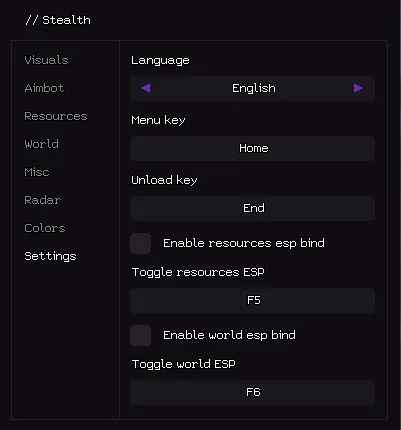
Settings
- Language – Switches the menu between English and Russian
- Menu key / Unload key – Sets the keys for opening the menu and unloading Stealth
- Enable resources esp bind / Toggle resources ESP – Enables and assigns the key for toggling resource ESP
- Enable world esp bind / Toggle world ESP – Enables and assigns the key for toggling world ESP