 English
Ghost ESP — Fortnite
Status: Setup guide
undetected
1 / 6
Compatibility
- Windows
- 10(all)/11(all)
- Processor
- All
- Graphics card
- Nvidia/AMD
- Launchers
- Epic Games
- Streamproof
- no
- HWID Spoofer
- No built-in
Features
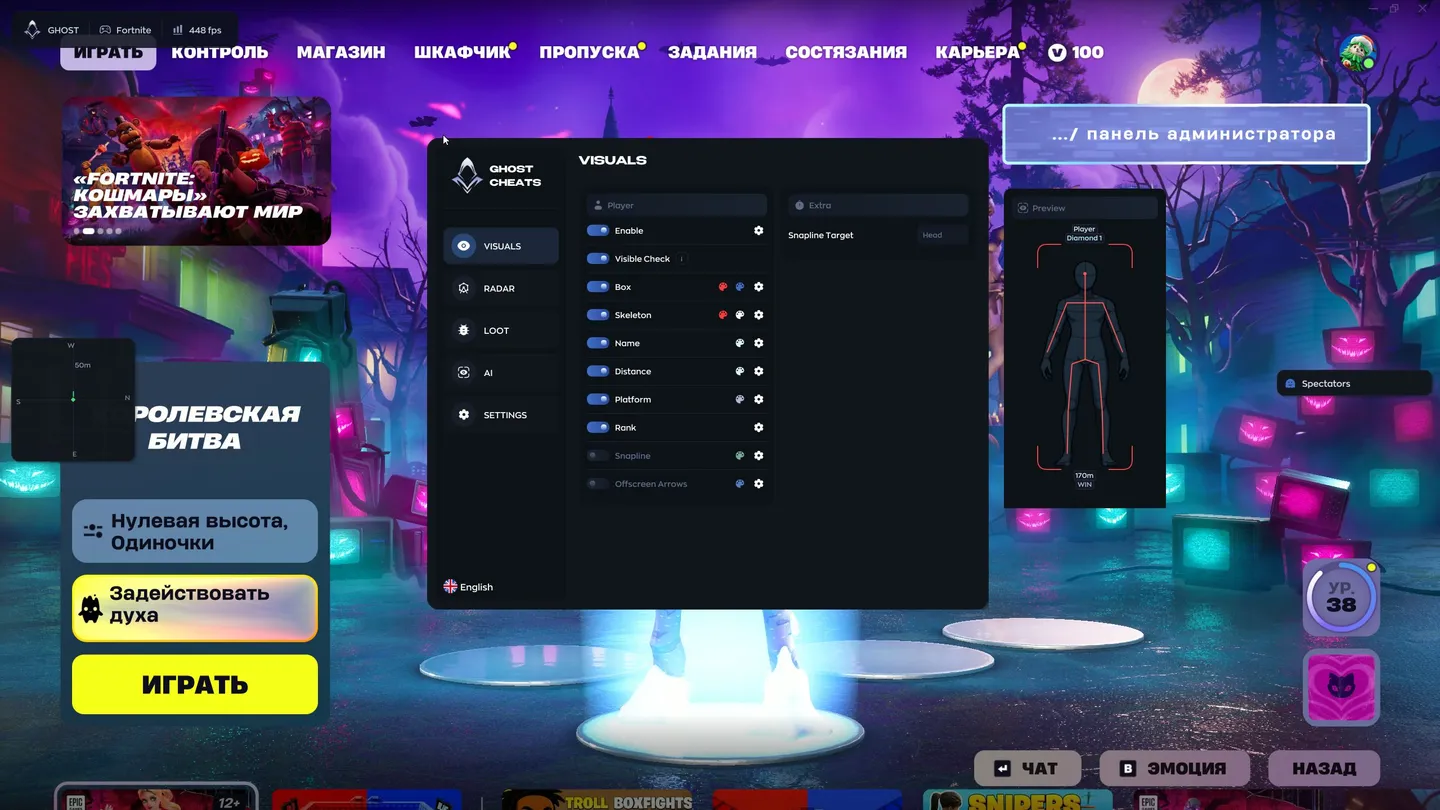
Player ESP (wallhack)
- Enable — turns the player ESP on
- Visible Check — shows information only about enemies in sight
- Box — a frame around the enemy
- Skeleton — the bones of the player model, with outlined joint dots on each bone
- Name — the nickname above the player; bots get an AI tag instead
- Distance — how many meters away the enemy is
- Platform — what the enemy plays on, PC or a console
- Rank — the player's rank, Diamond 1 for example
- Snapline — a line from the bottom of the screen to the enemy
- Snapline Target — where the line ends, the head by default
- Offscreen Arrows — point toward enemies outside your view
- View Direction — shows where the player is looking; color, length, thickness and distance are adjustable
- Preview — an interactive window that shows how the ESP will look on a player: hovering highlights an element with a glow, the mouse wheel changes the skeleton thickness
- Font Size — each text element of the ESP has its own size, set by scrolling over it in the preview
Radar and compass
- Enable — turns the radar on
- Draw Outline and Draw Background — the radar border and backdrop
- Point Style — how the dots look, a circle for example
- Size — how big the radar is on screen
- Max Distance — how far the radar reaches, in meters
- Point Size — the size of the dots
- Zoom — the radar scale
- Extra — a radar panel with View Direction, showing where players on the radar are looking
Loot ESP
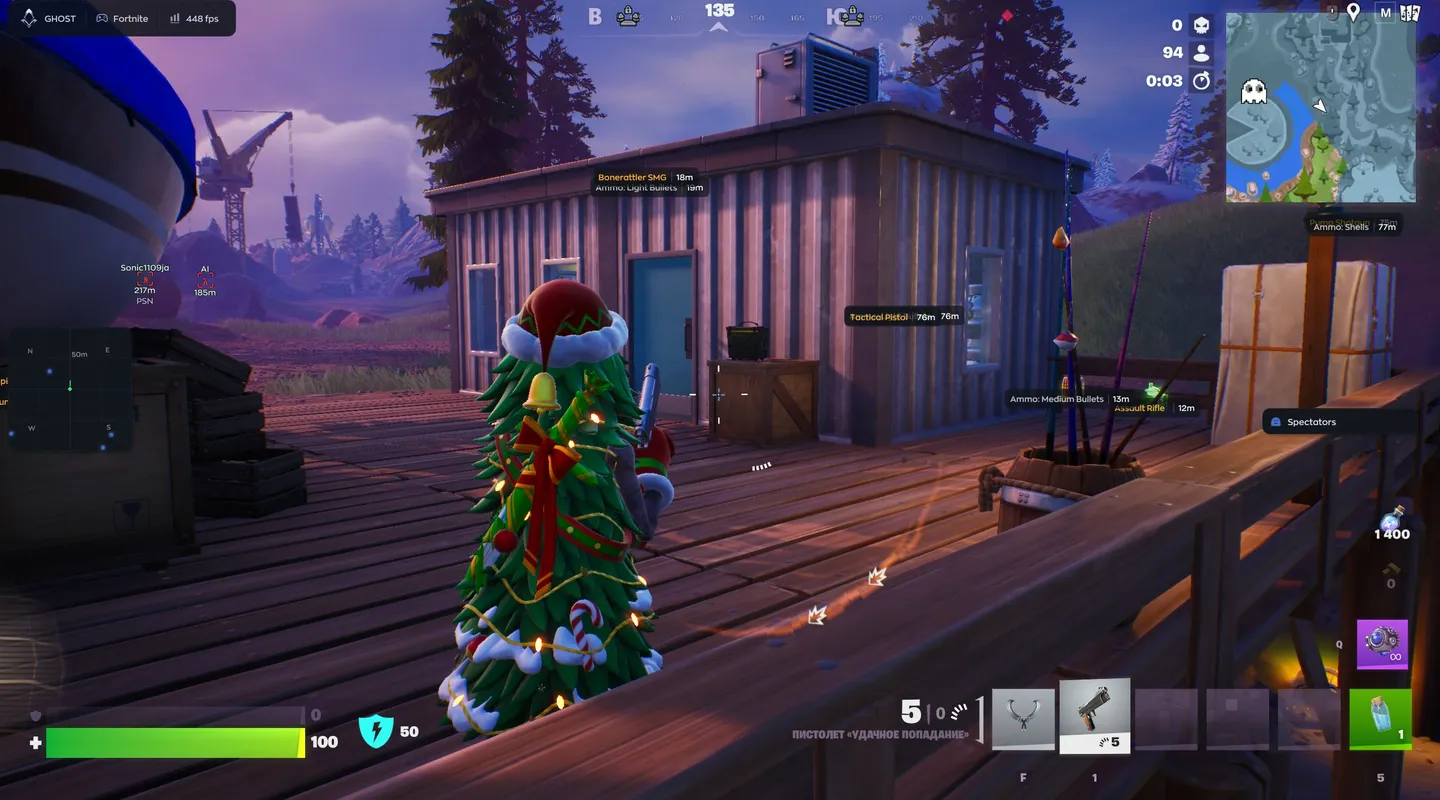
- Enable — turns the loot ESP on; each item shows its name and distance, and each category has its own color
- Weapons — guns lying on the map
- Ammo — ammo with its type, such as light or medium bullets and shells
- Shields — shield potions
- Healing — medkits and bandages
- Throwables — grenades and other throwables
- Consumables — fish, bananas and the like
- Traps/Utility — traps and utility items
- Other — everything that falls outside the categories above
- Max Distance — how far the loot ESP reaches
- Font Size — the size of the item labels
Settings and AI chat
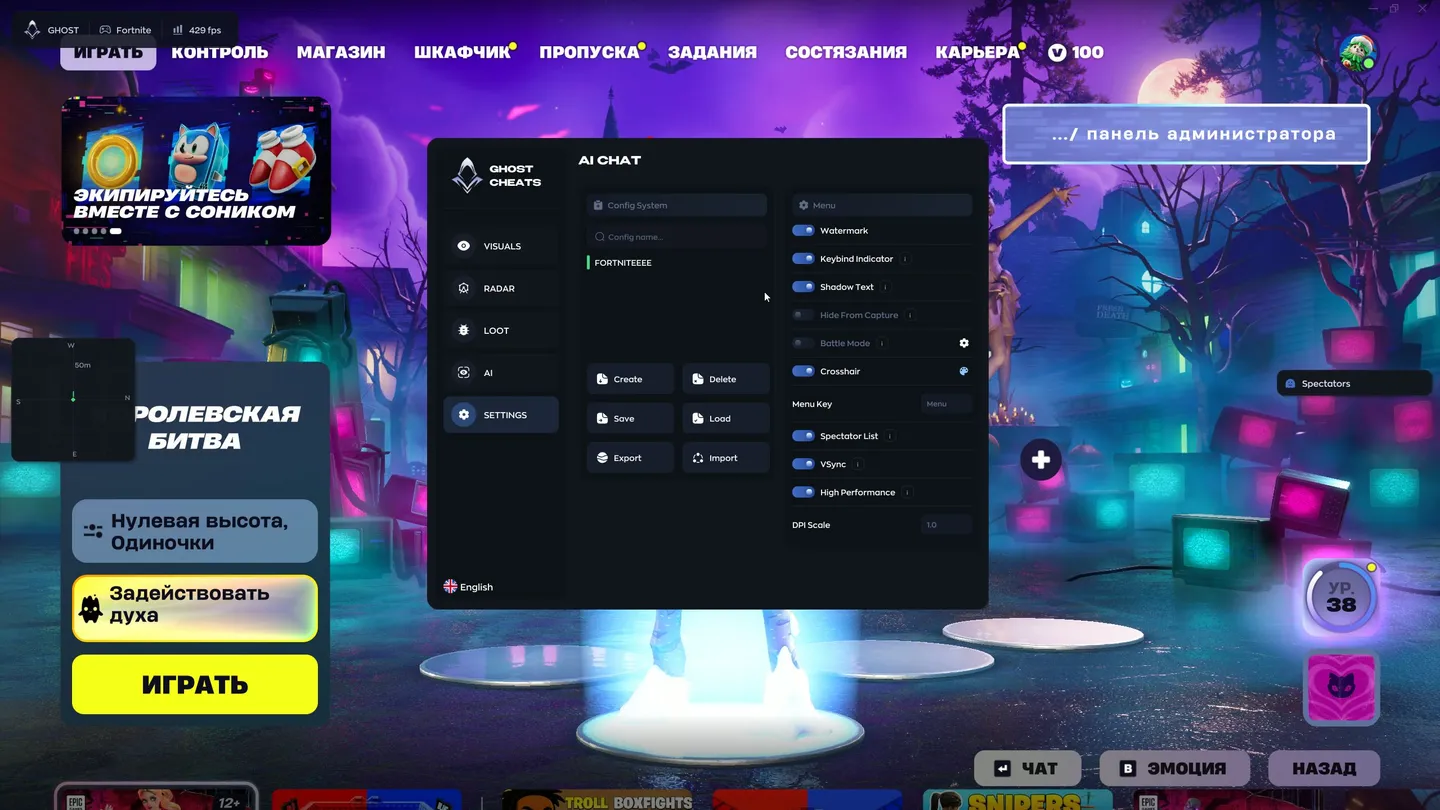
- Config System — the list of saved configs with a search by name
- Create and Delete — make a new config or remove one
- Save and Load — save the current settings or load saved ones
- Export and Import — pass a config to other players or take theirs
- Watermark — the cheat's watermark on screen
- Keybind Indicator — shows which hotkeys are pressed
- Shadow Text — a shadow under the text for readability
- Hide From Capture — hides the cheat menu from screen recording, streams and screenshots
- Battle Mode — turns off extra functions during a fight
- Crosshair — a built-in crosshair
- Menu Key — the key that opens the menu, Menu by default
- Spectator List — shows who is spectating you
- VSync — vertical sync
- High Performance — a high-performance mode
- DPI Scale — scales the interface to your resolution
- AI Assistant — a chat with a built-in AI on the AI tab: it answers questions about the settings and can set up the ESP on request