 English
Ghost ESP — Wardogs
Status: Setup guide
undetected
1 / 7
Compatibility
- Windows
- 10(all)/11(all)
- Processor
- All
- Graphics card
- Nvidia/AMD
- Launchers
- Steam
- Streamproof
- yes
- HWID Spoofer
- No built-in
Features
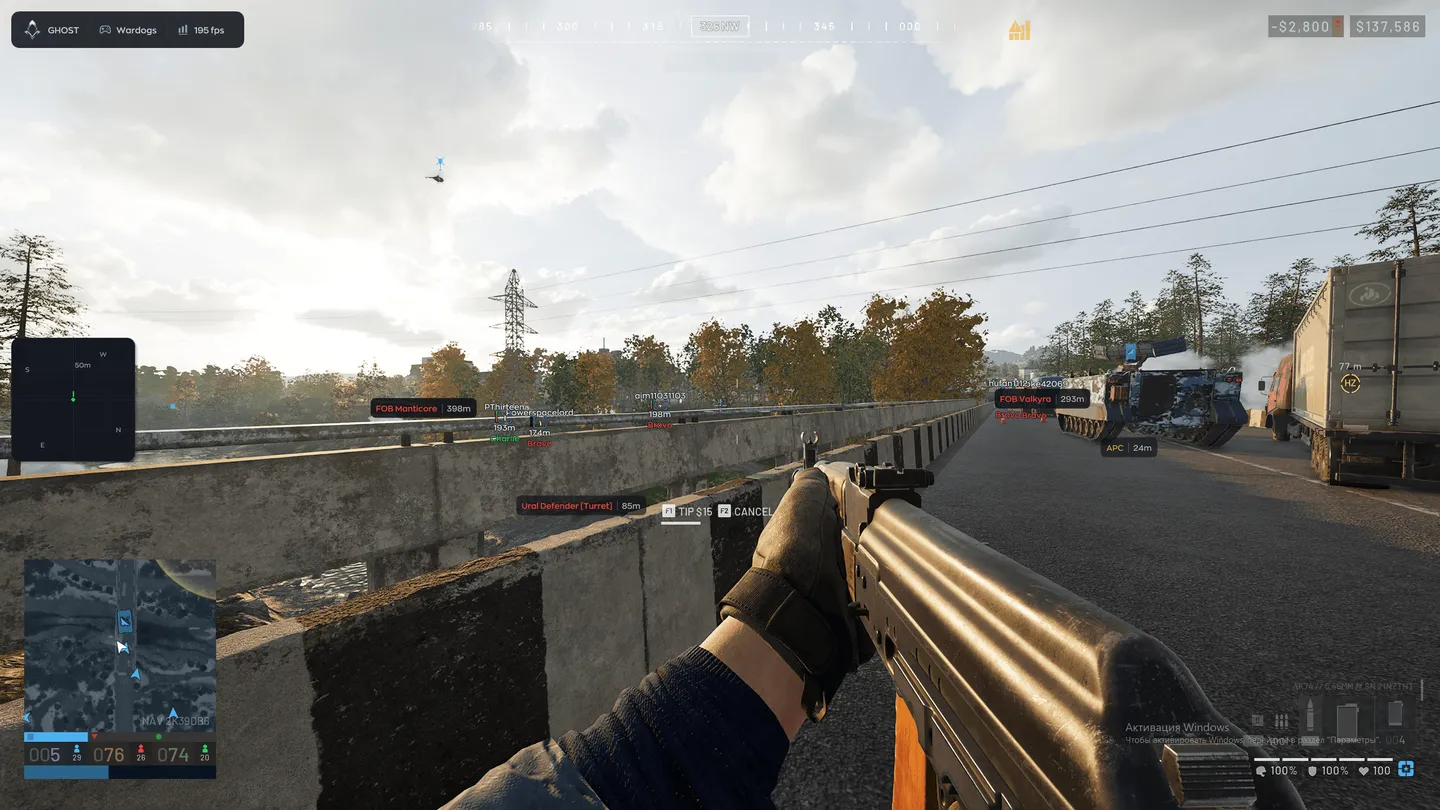
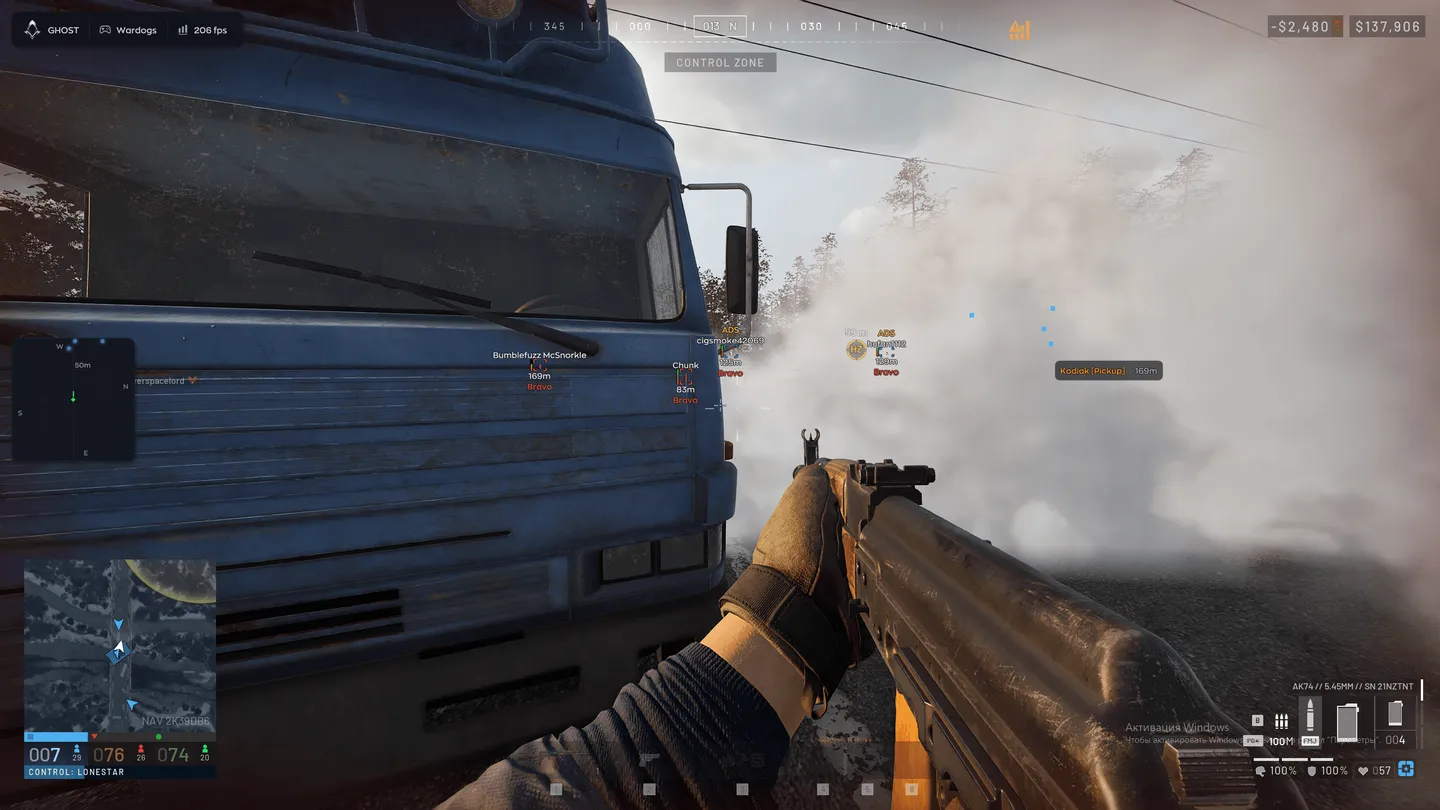
Player ESP
- Enable — turns the player ESP on
- Visible Check — one color for enemies in sight, another for those behind cover
- Box — regular, corners only or filled
- Skeleton — the bones of the player model
- Name — the nickname above the player
- Distance — how many meters away the player is
- Weapon — what the enemy is holding
- Faction — the tag under the player, such as Alpha, Bravo or Charlie
- Snapline — a line drawn to the player
- Snapline Target — the body point the line ends at, the head for example
- Offscreen Arrows — point toward enemies outside the frame
- Health — the health bar
- State — marks a knocked-down enemy as DOWNED
- ADS — flags a player who is aiming down sights
- Skip Downed — skips knocked-down players
Radar and compass
- Enable — turns the radar on
- Draw Outline — the radar border
- Draw Background — the radar backdrop
- Point Style — circle, square or triangle dots
- Size — how big the radar is on screen
- Max Distance — how far the radar reaches
- Point Size — the size of the dots
- Zoom — the radar scale
- Compass Bar — a compass strip with its own switch
Objects: loot, vehicles, FOBs
- Loot — dropped items with their name and distance
- Loot filters — Weapons, Ammo (rounds and magazines), Meds, Armor, Attachments, Other
- Corpse — bodies of killed players
- Vehicle — vehicles on the map with their name and distance
- Hide Ally — leaves your own side's vehicles off the screen
- Vehicle types — ATV, SUV, Pickup, Truck, Helicopter, Attack Heli, Tank
- Artillery, APC and Turret — each on its own switch
- FOB — forward operating bases with their name and distance
- Supply — supply points
- Buildable — structures that players put up
Settings and AI chat
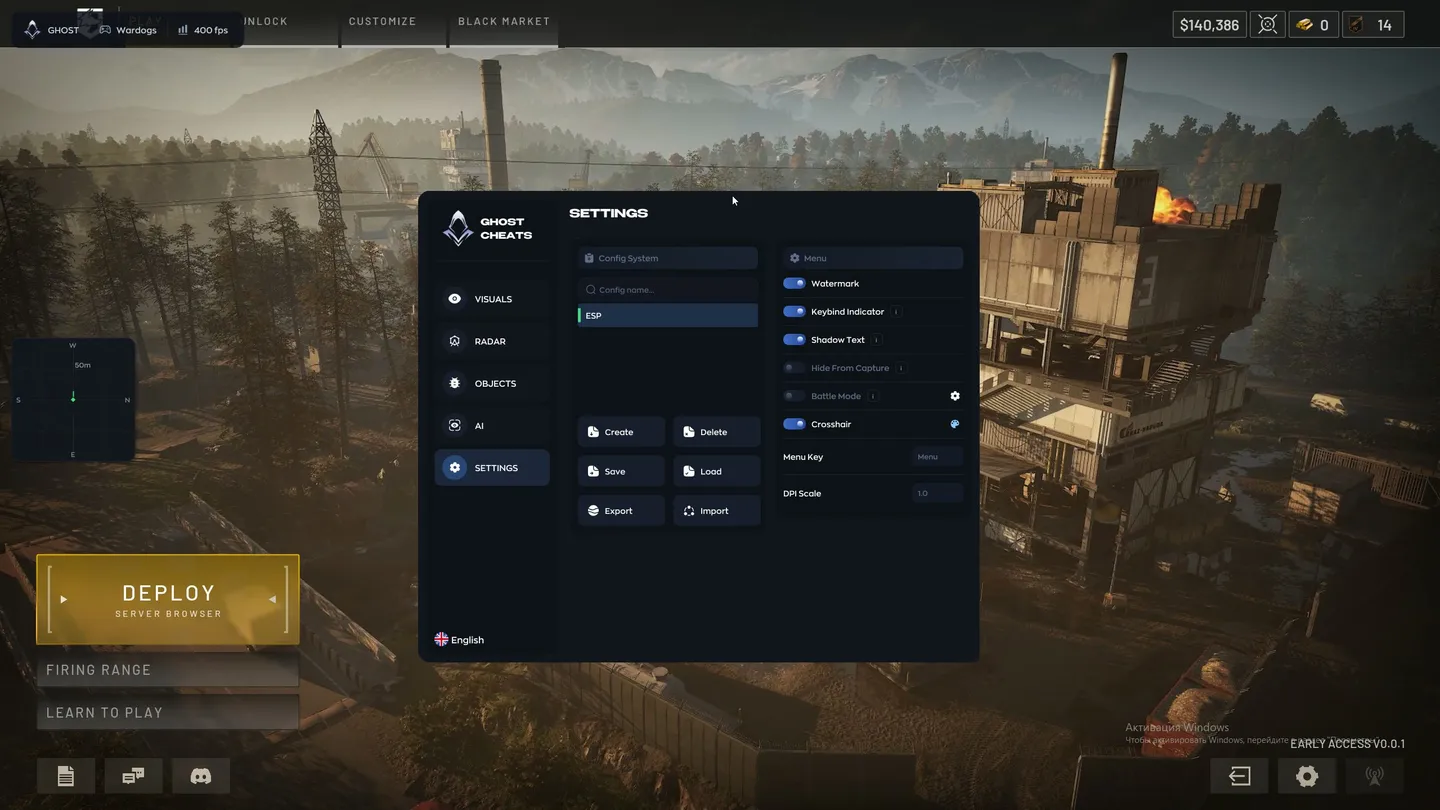
- Config System — create, delete, save and load configs
- Export and Import — move configs out of the cheat and back in
- Watermark — the on-screen watermark
- Keybind Indicator — the binds currently active, shown on screen
- Shadow Text — a shadow under the interface text
- Hide From Capture — hides the overlay from OBS and Discord
- Battle Mode — a stripped-down layout for a fight
- Crosshair — a custom crosshair with a color picker
- Menu Key — the key that opens the menu
- DPI Scale — the interface scale
- Vsync — vertical sync
- AI Assistant — a chat on the AI tab that picks and adjusts the settings on request