 English
Arcane — Halloween: The Game
Status: Setup guide
undetected
1 / 4
Compatibility
- Windows
- 10(all)/11(all)
- Processor
- All
- Graphics card
- All
- Launchers
- Steam, Epic Games, Xbox
- HWID Spoofer
- No built-in
Features
Aimbot
- Enable — turns the aimbot on
- Keybind — the key it works on
- Mode — Always or On Hold
- Target — survivors or the killer (Assassin)
- Ignore list — teammates, knocked players, bots
- Bone — head, neck, chest or pelvis
- Adaptive FOV
- Draw FOV Border — outlines the FOV circle
- Draw FOV Background — fills the FOV circle
- FOV Size — how big the circle is
- Smoothness — how gradually the aim moves
- Max distance — how far the aimbot reaches
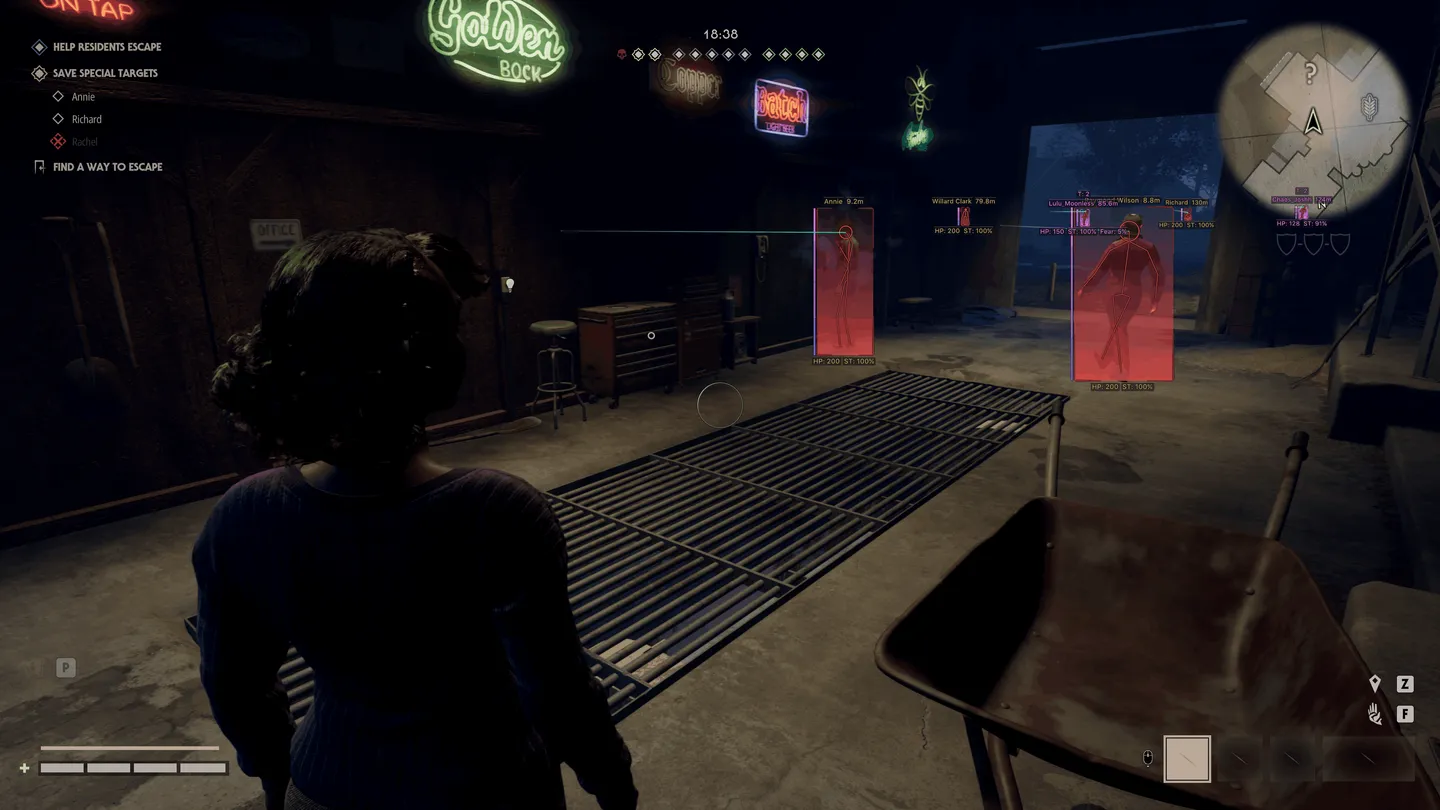
ESP (survivors)
- ESP style
- Bounding box — normal or corners only
- Box fill — solid or gradient
- Skeleton — with line thickness and a head circle
- View line — where the survivor is looking, with start and end colors
- Line to enemy — its position and color
- Health bar — solid, by health grade or gradient
- Health text — health as a number
- Name
- Team ID — the team number
- Distance
- Stamina
- Fear
- Stalk level — how far the killer's stalking has gone
- Status effects
- Carried state — shows a knocked survivor
- Show team, Show knocked, Show BOT — teammates, knocked players and bots on separate switches
- Max distance
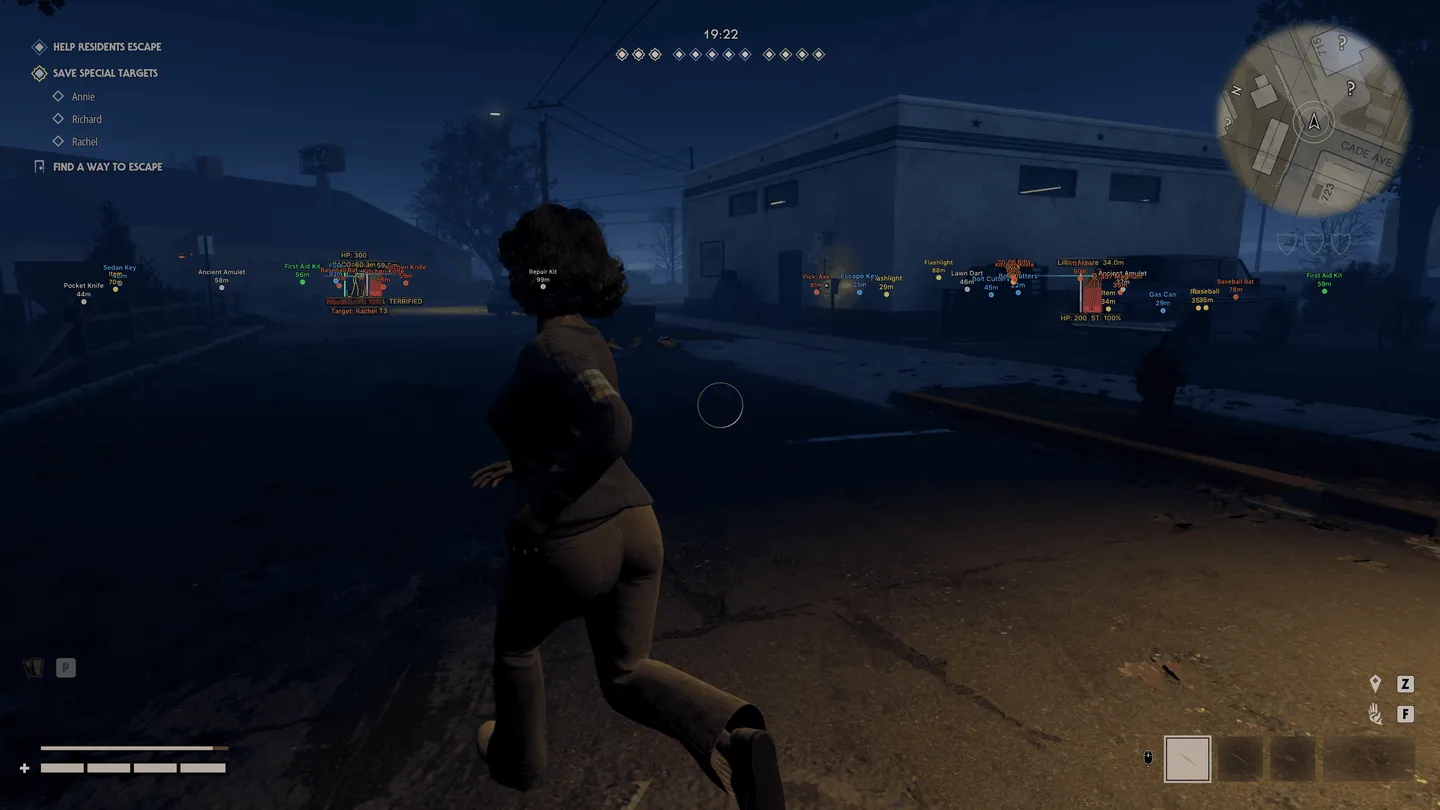
ESP (killer)
- ESP style
- Bounding box — normal or corners only
- Box fill — solid or gradient
- Skeleton — with line thickness and a head circle
- View line — where the killer is looking, with start and end colors
- Line to enemy — its position and color
- Health bar — solid, by health grade or gradient
- Health text — health as a number
- Bloodlust — its tier and percentage
- Detainment — the detention state
- Current target — the survivor the killer is after
- Max distance
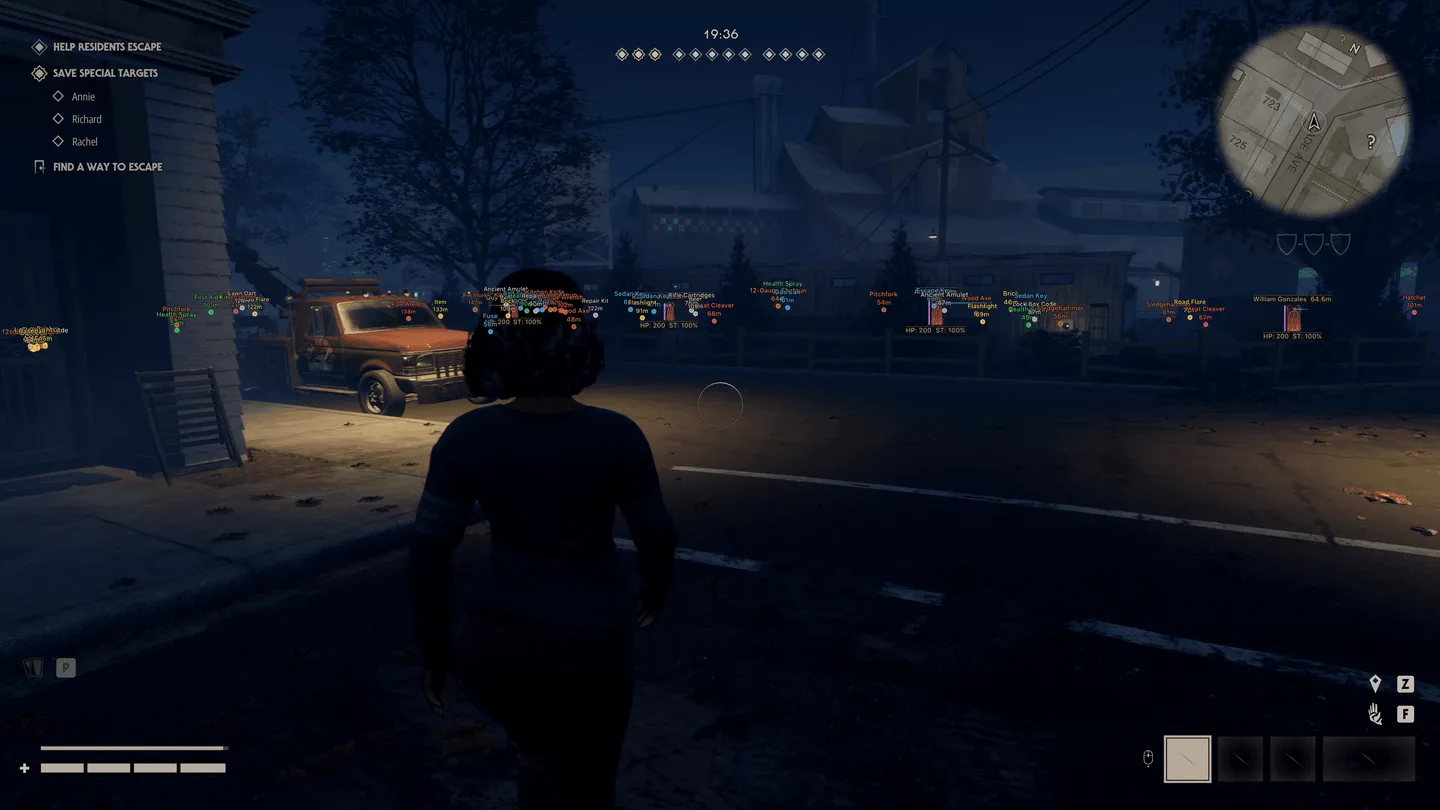
ESP (items)
- Weapon — melee weapons
- Firearm — guns
- Two-handed — two-handed weapons
- Equipment
- Illumination — light sources
- Healing
- Escape items — what you need to get out
- Other
- Distance
- Transparency
- Max distance
Radar
- Enable — turns the radar on
- Entities — survivors, the killer, your team and items
- Distance rings
- FOV cone — your field of view on the radar
- Scale by distance
- Zoom
- Size
- Transparency
Off-screen
- Enable — arrows toward targets outside the screen
- Entities — survivors, the killer and your team
- Distance
- Range — the radius of the arrows
- Size
Misc
- Fullbright — switches the shadows off
- FOV Changer — changes the camera field of view
Settings
- Menu key
- Unload key — unloads the cheat
- Crosshair — a static crosshair
- Hovering (HUD) — Enable, Radius and Show circle
- DPI scale — interface scale
- VSync — vertical sync
- FPS limit
- Language — English, Russian or Chinese menu