 English
Arcane — The Finals
Status: Setup guide
undetected
1 / 4


Compatibility
- Windows
- 10(all)/11(all)
- Processor
- All
- Graphics card
- Nvidia/AMD
- Launchers
- Steam
- Streamproof
- yes
- HWID Spoofer
- No built-in
Features
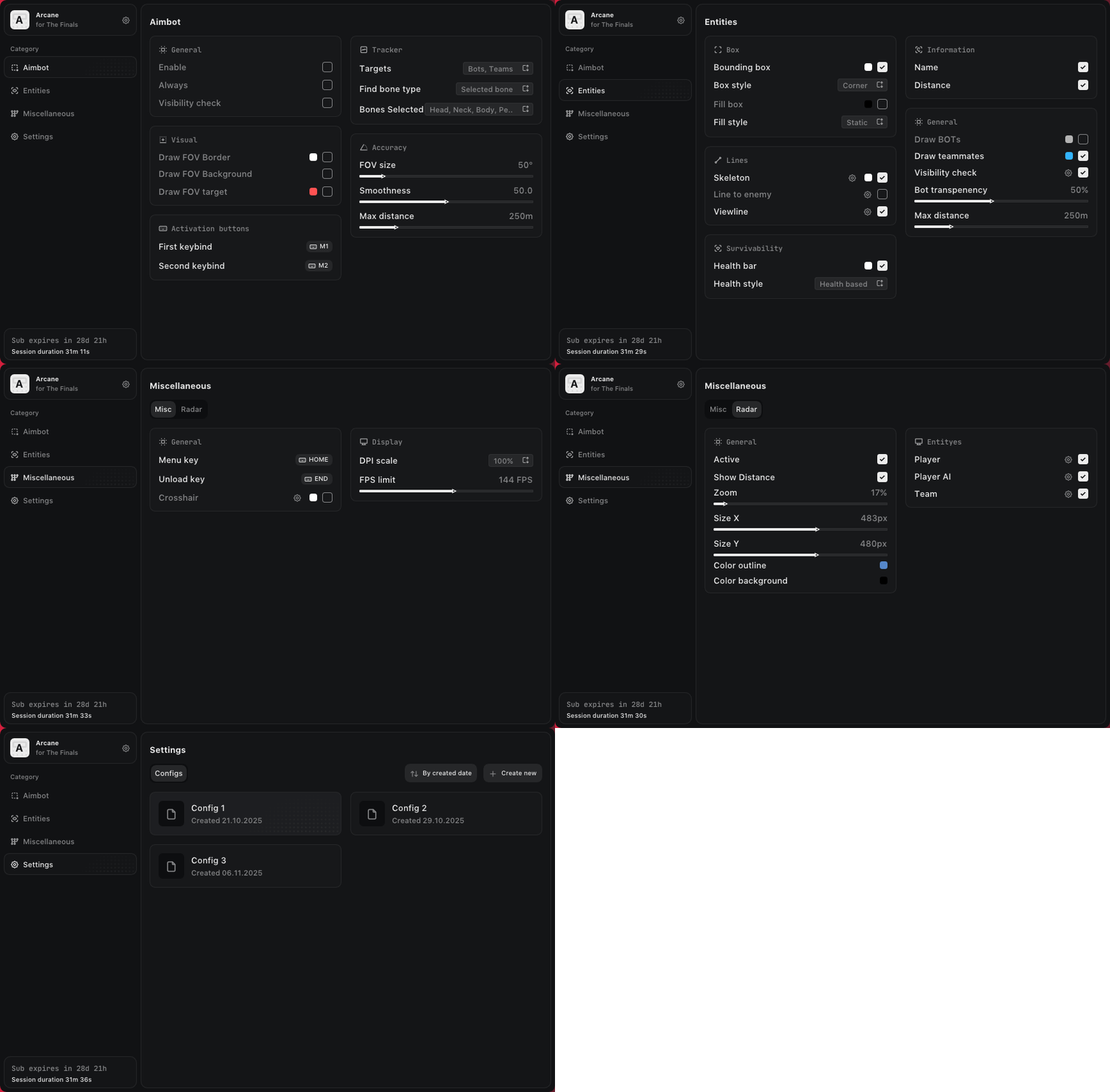
Aimbot
- Enable
- Always
- Silent aimbot: shots land on the target without the crosshair moving
- No recoil
- Visibility check
- Draw FOV Border
- Draw FOV Background
- First keybind
- Second keybind
- Targets: (Players, Bots, Teams, Coma)
- Find bone type: (Selected bone, Closest bone, Random bone)
- Bone: (Head, Neck, Body, Pelvis...)
- FOV Size
- Smoothness
- Max distance
ESP (players)
- Bounding box: (Box, Corner)
- Fill box: (Static, Gradient)
- Skeleton: (Draw head circle, Fill head circle, Thickness)
- Line to enemy: (Color, Position)
- Health bar: (Static, Health based, Gradient)
- View line
- Name
- Distance
- Draw BOTs
- Draw teammates
- Visibility check
- Bot transparency
- Max distance
- Hovering (HUD): (Enable, Radius, Show circle)
Radar
- Enable
- Show distance
- Zoom
- Size X / Size Y
- Distance transparency
- Color outline
- Color background
- Shows players, AI and your team
Misc
- Super Light
- Super Contrast
- Disable Shadows
- Disable Reflection
Settings
- Menu keybind
- Unload keybind
- DPI Scale
- FPS Limit
- Theme: (Murky, Sunny)
- Watermark
- Language: (EN, RU, CN)